 Zoo Map
An iPhone app for getting around one zoo. Search every stop, follow walking directions on the zoo's own paths, and save spots like where you parked. It works offline, with an Apple Watch app and a Live Activity. An earlier build, before the Live Activity, is in internal TestFlight.
- Offline
- search and directions on the phone
- iPhone + Watch
- plus a Live Activity
- No backend
- no accounts or analytics
- 60
- Swift Testing tests
An iPhone app for getting around one zoo, with offline walking directions.
Find a stop, then walk there.
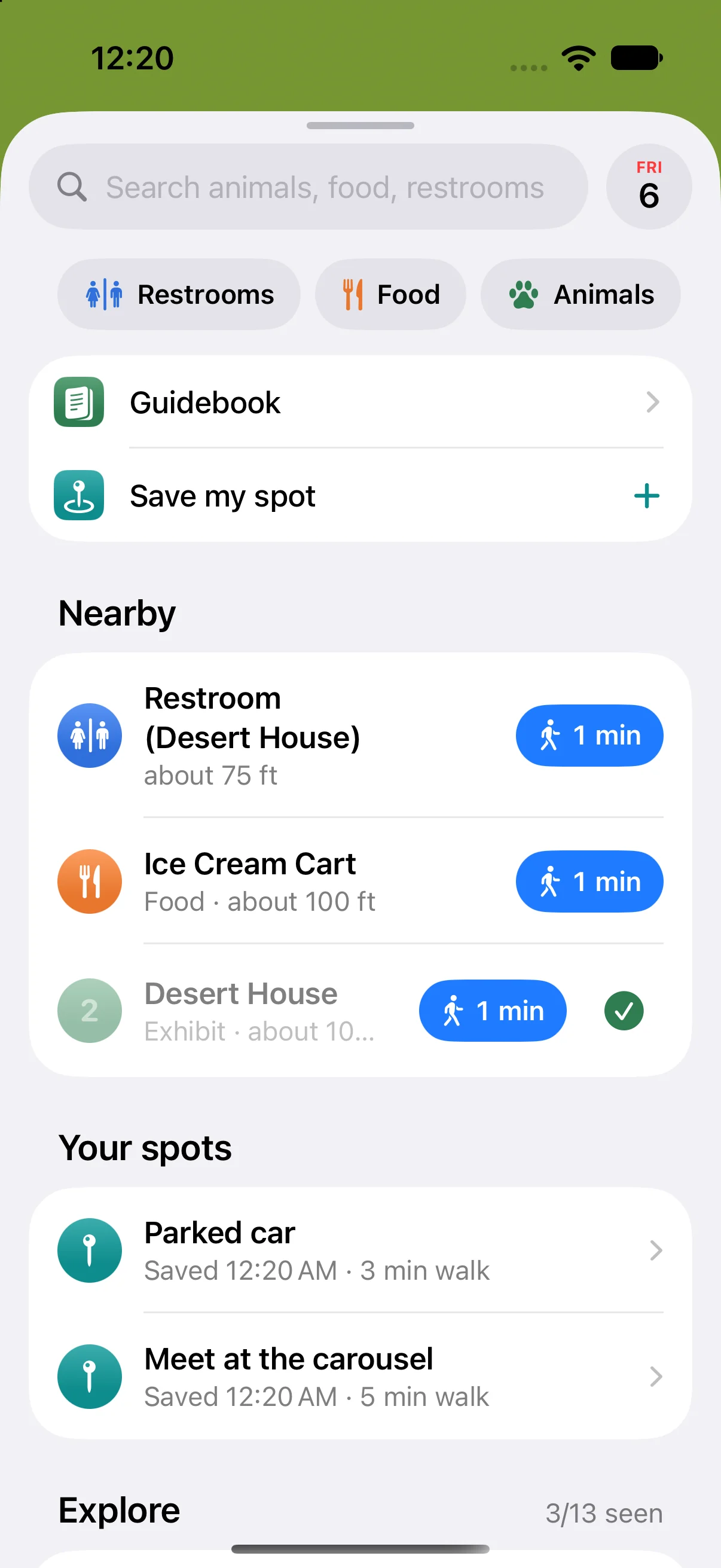
Search by animal, food, or restroom. Each stop shows how far it is on foot, and Directions walks you there.
Find
Type an animal, a food, or restroom, or tap a filter. The best matches come first, with walking times once you're inside the gates.
search · filtersWalk
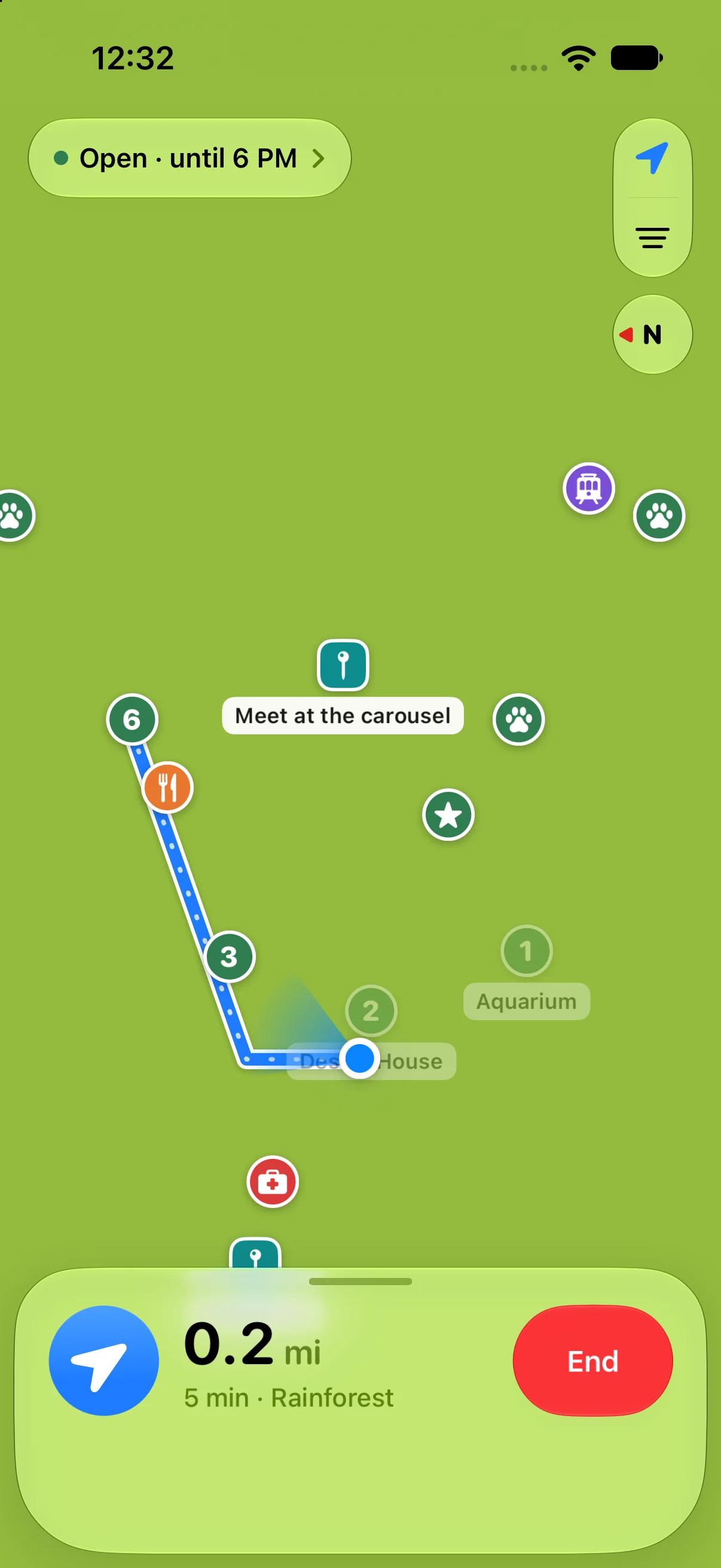
Directions routes over the zoo's paths and shows the distance, minutes left, and an arrow pointing along the path.
on-device routingThe directions carry on in the Lock Screen and Dynamic Island, or on the Watch with a compass arrow.
Live Activity · WatchArrive
Arriving marks the stop seen, and staying a while at an exhibit counts too, with Undo. A day plan then points to its next stop.
seen · next stopWhat's in the app.
Every stop, by name or by need.
Exhibits, food, restrooms, rides, and first aid are all searchable. Apple's on-device model handles plain requests that keywords miss, and nothing leaves the phone.
keywords · on-device AIWalking routes on the zoo's own paths.
The walkways are traced into a network the phone routes over, with no signal needed. Stray from the route and it plans a new one.
offline · 30 m rerouteDrop a pin, walk back to it later.
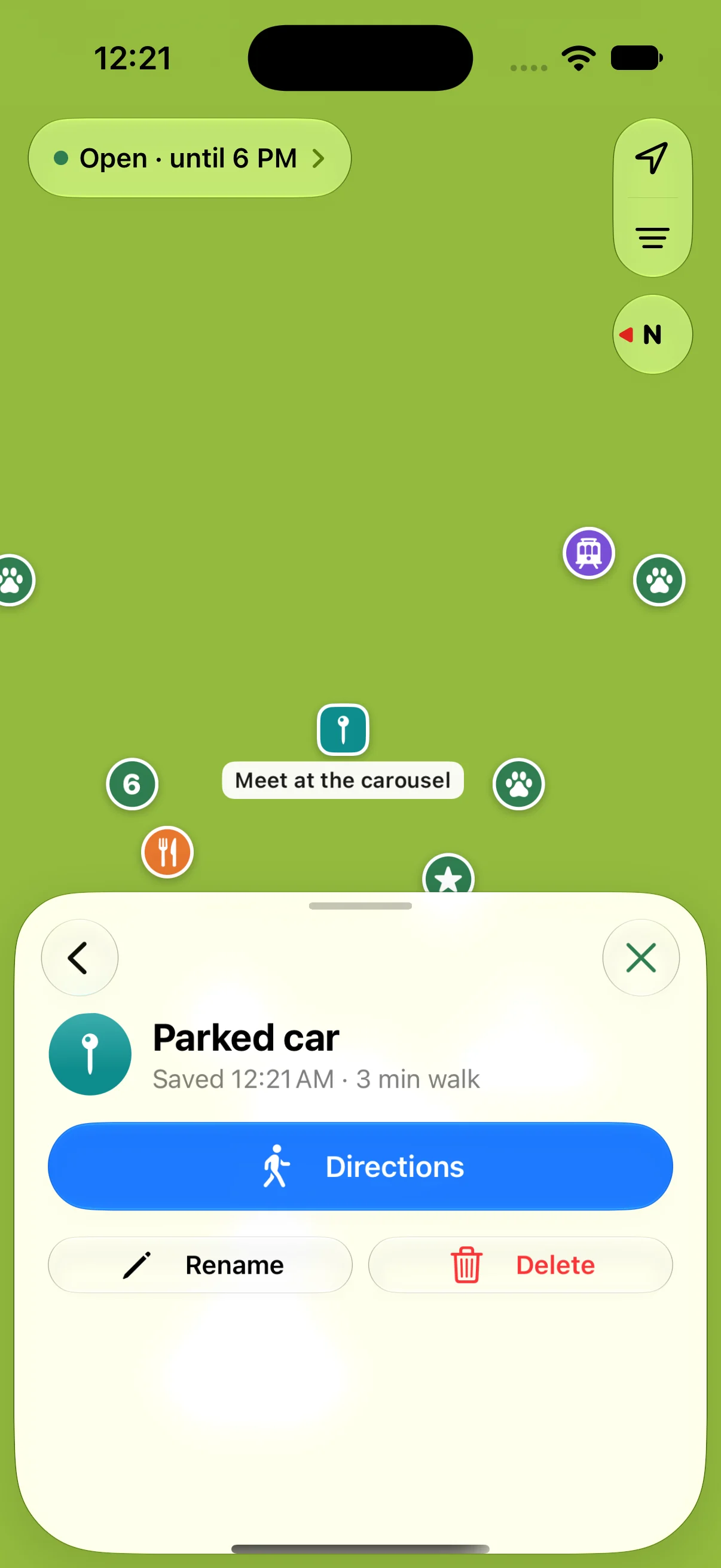
Save where you parked or where to meet, rename it, and get directions back to it like any other stop.
parked car · meeting pointA compass arrow on the wrist.
The Watch app searches the same stops, points an arrow toward the next one, and taps the wrist on arrival.
watchOS 11 · hapticsNothing leaves the phone.
There are no accounts, no server, and no analytics. Location and saved spots stay on the device.
no accounts · no backendThe rules the app holds to.
- Search and directions work with no connection.
- Routes follow the zoo's paths, not the roads around it.
- Location and saved spots never leave the device.
- Arrival and auto-seen fire once per stop, with Undo.
- Every stop routes from the entrance, checked by a test.
- No accounts, no backend, no analytics.
The iPhone app, the Watch app, the Live Activity, and the tests.
Search, stop details, walking directions, saved spots, and timed plans for the day. An earlier build is in internal TestFlight.
earlier build in TestFlight · iOS 27+Search, a compass arrow with a tap on arrival, and save-this-spot. It needs no network: the stops ship with the app.
watchOS 11The walking directions on the Lock Screen and in the Dynamic Island, so the phone can stay in a pocket.
ActivityKit60 tests covering the map math, routing from the entrance to every stop, the day's plans, and when a stop counts as seen.
Swift Testing