









 cmux Inbox
I built a local inbox around stock cmux to keep agent sessions from turning into a wall of terminals. It groups work by project, shows whether a workspace is Working or Ready, and asks before closing anything.
- Stock cmux
- no fork and no app replacement
- Local-only
- projects, state, and shell hooks
- 2 modes
- recent activity or project groups
- 24 hours
- archive window before reaping
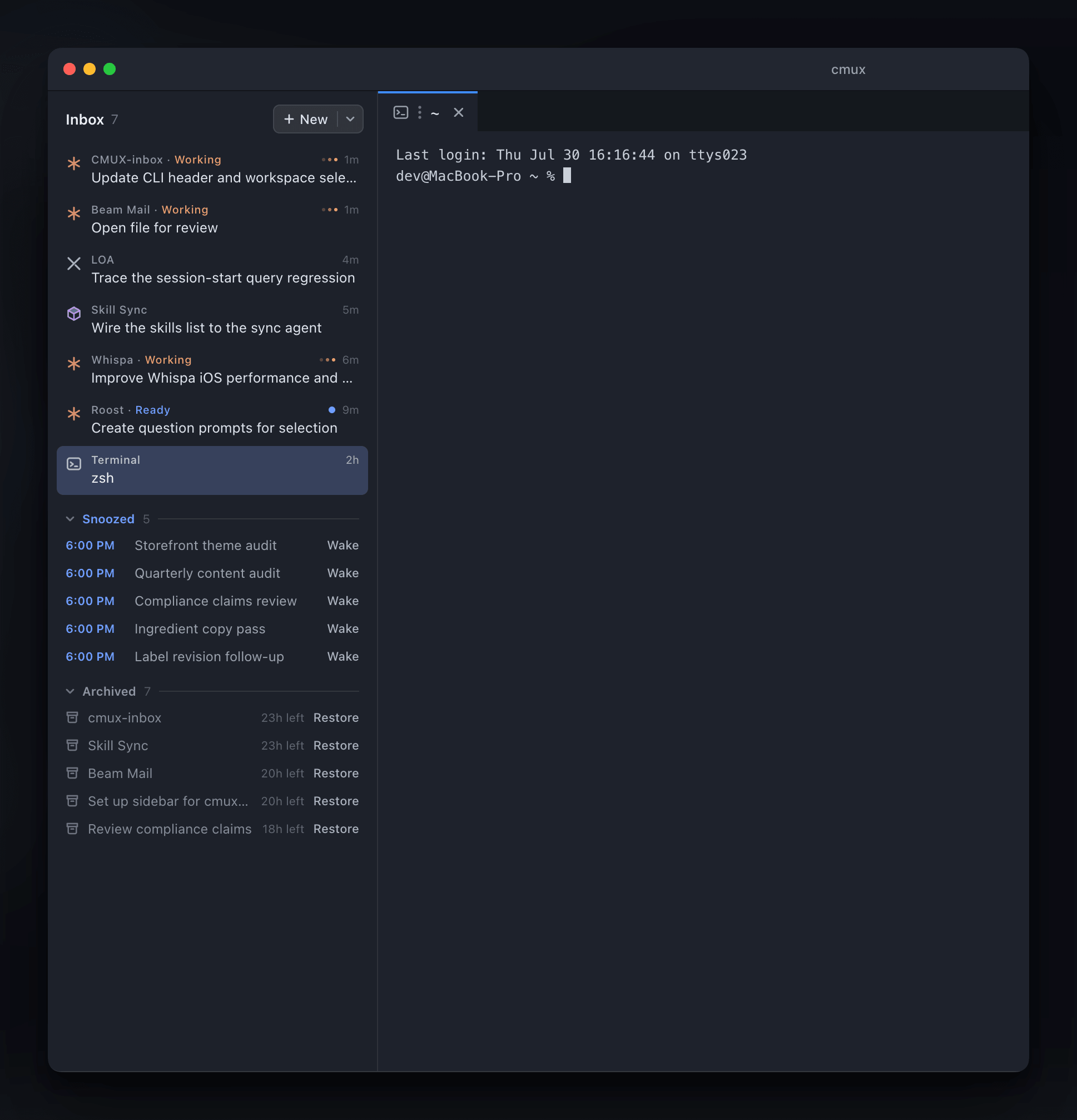
This is the actual Inbox sidebar running inside my stock cmux install.
cmux InboxThe terminal sidebar I kept wishing cmux had.
Raw tabs stop being useful once several agents are moving. cmux Inbox adds a selectable sidebar and quick launcher around cmux's own workspace model, so I can find the right conversation without patching or replacing the host app.
Save a project
I pick a folder once and give it a shorter display name. The real directory name stays untouched.
folder picker · local registryOpen the work
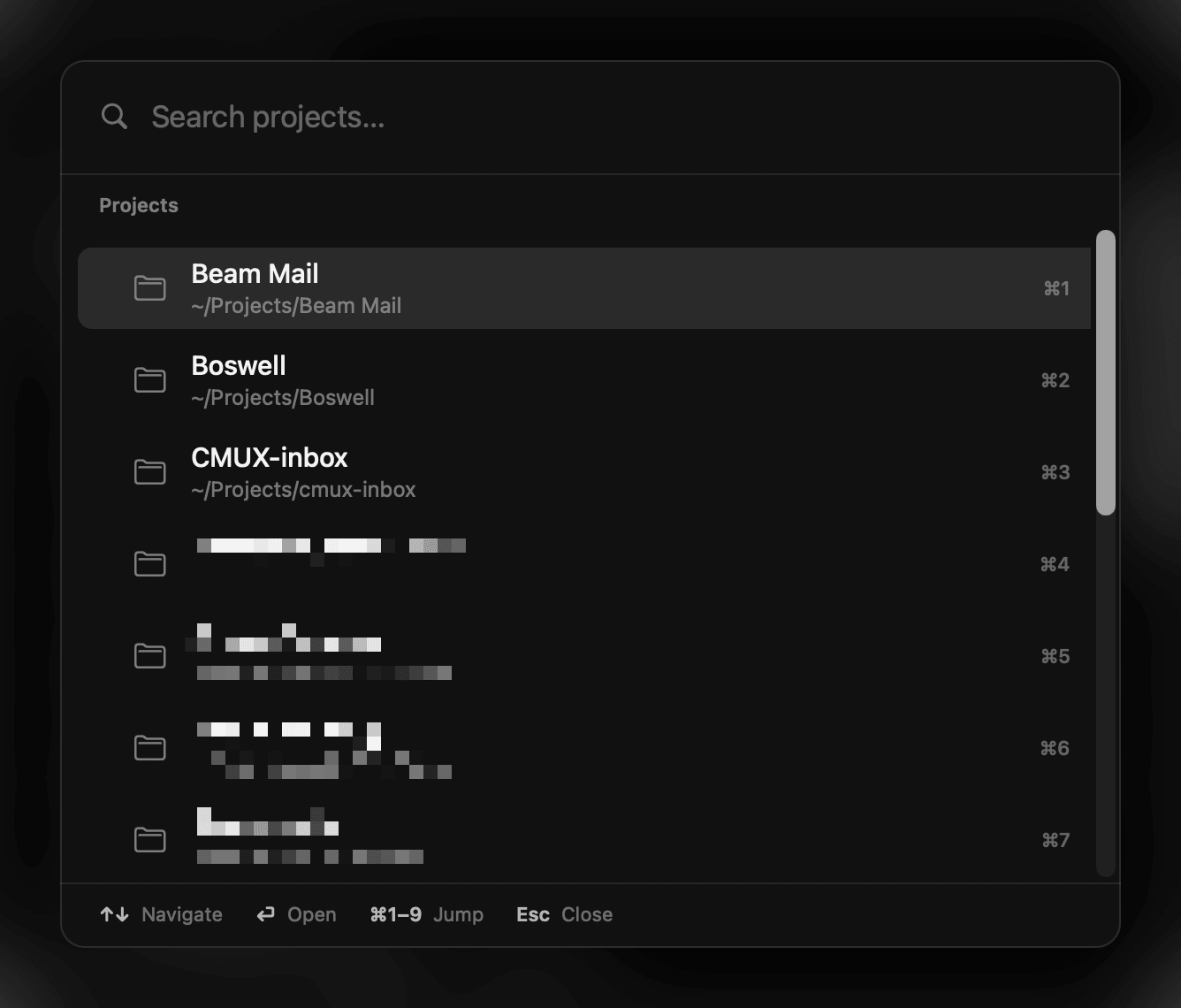
A few typed letters find the project and open a new cmux workspace in the right directory.
palette · direct workspaceRead the state
Each row names its harness. Working means the agent is active; Ready means the workspace needs attention.
Working · Ready · harnessClose deliberately
Close asks first. After confirmation, the workspace gets a 24-hour archive window before the local reaper shuts it down.
confirm · archive · reapI wrote the whole path across project launch, grouping, live state, safe publication, close confirmation, and narrow removal.
Recent activity or stable project groups.
One switch changes the sidebar from a newest-first inbox to alphabetical project groups. Conversations from the same repo stay together.
newest-first · alphabeticalWorking and Ready mean different things.
Working appears only after the harness shows activity. Ready follows cmux's unread state; an unread notification alone never counts as active computation.
observed lease · unread attentionThe host validates the candidate.
cmux checks each generated sidebar with its current interpreter before it becomes active. Routine host updates do not need a matching Inbox release.
capability handoff · verified fallbackUninstall has a preview and a narrow scope.
Before uninstalling, the CLI lists every Inbox-owned file it plans to remove. The command leaves cmux itself, unrelated settings, and every project folder untouched.
dry run · owned artifacts onlyThe customization has to behave like a guest inside cmux.
- Never modify or replace /Applications/cmux.app.
- Keep the stock sidebar selectable at all times.
- Publish only sidebar candidates the installed host has validated.
- Label activity from evidence; unread state alone never means an agent is working.
- Require a visible close confirmation before a workspace leaves the inbox.
- Limit uninstall to Inbox-owned files, hooks, helpers, and LaunchAgents.
The source, installer, compatibility notes, and regression suite remain private.
The private Swift package contains the generated sidebar, quick launcher, narrow shell hooks, installer, removal path, and regression suite.
private sourcecmux loads a generated sidebar that groups work by project or recent activity and labels each workspace with its current harness state.
local · additive · selectableA small native palette stays warm in the background, filters saved projects, and opens a cmux workspace in the chosen folder.
SwiftUI · prewarmed